What ScoreSocial is
ScoreSocial helps organisers run private Football, NFL and NHL prediction leagues with gameweeks, deadlines, picks, matchday updates and standings. Golf is managed separately as an event on an eligible plan.
About ScoreSocial
Learn about ScoreSocial, the UK-based private Football, NFL and NHL prediction league app, with golf events for eligible groups.
ScoreSocial helps organisers run private Football, NFL and NHL prediction leagues with gameweeks, deadlines, picks, matchday updates and standings. Golf is managed separately as an event on an eligible plan.
The service is designed for private groups of friends, colleagues, football clubs, pubs and supporter communities. Organisers control league access and should keep member information within the intended group unless the people concerned explicitly consent to wider use.
The official public website is scoresocial.app. ScoreSocial is also available through its official iOS App Store and Google Play listings, while the responsive website continues to support compatible devices.
ScoreSocial is operated by Dean Reid, the UK-based ScoreSocial service operator. The existing Terms, Privacy Policy and support routes remain the authoritative sources for service, data and contact information.
Football competition guides and weekly previews, published under Jim, ScoreSocial’s prediction model, are separate from the league product. They use dated fixtures, tables, recent form and named sources, then preserve published score predictions after kickoff so the record can be reviewed rather than rewritten. Previews published automatically pass automated checks, without a person checking their sources. Dean Reid checks sources on previews published manually and reviews non-Football organiser guides for consistency with the released ScoreSocial product and links sport-rule statements to official sources.
ScoreSocial does not guarantee football results, sell betting tips or operate an official competition website. Prediction articles are editorial opinions; league, club and broadcaster sources remain authoritative for fixtures, team news and results.
The public product pages use screenshots from the released ScoreSocial mobile apps to show the actual league, prediction and recap experience. Captions explain the function on display instead of showing a made-up screen as if it were real.
Material editorial corrections identify what changed and refresh the review date. Postponed fixtures are marked void, completed rounds are settled against verified results, and the public accuracy archive explains how exact scores, correct directions and misses are counted.
Real ScoreSocial app screens
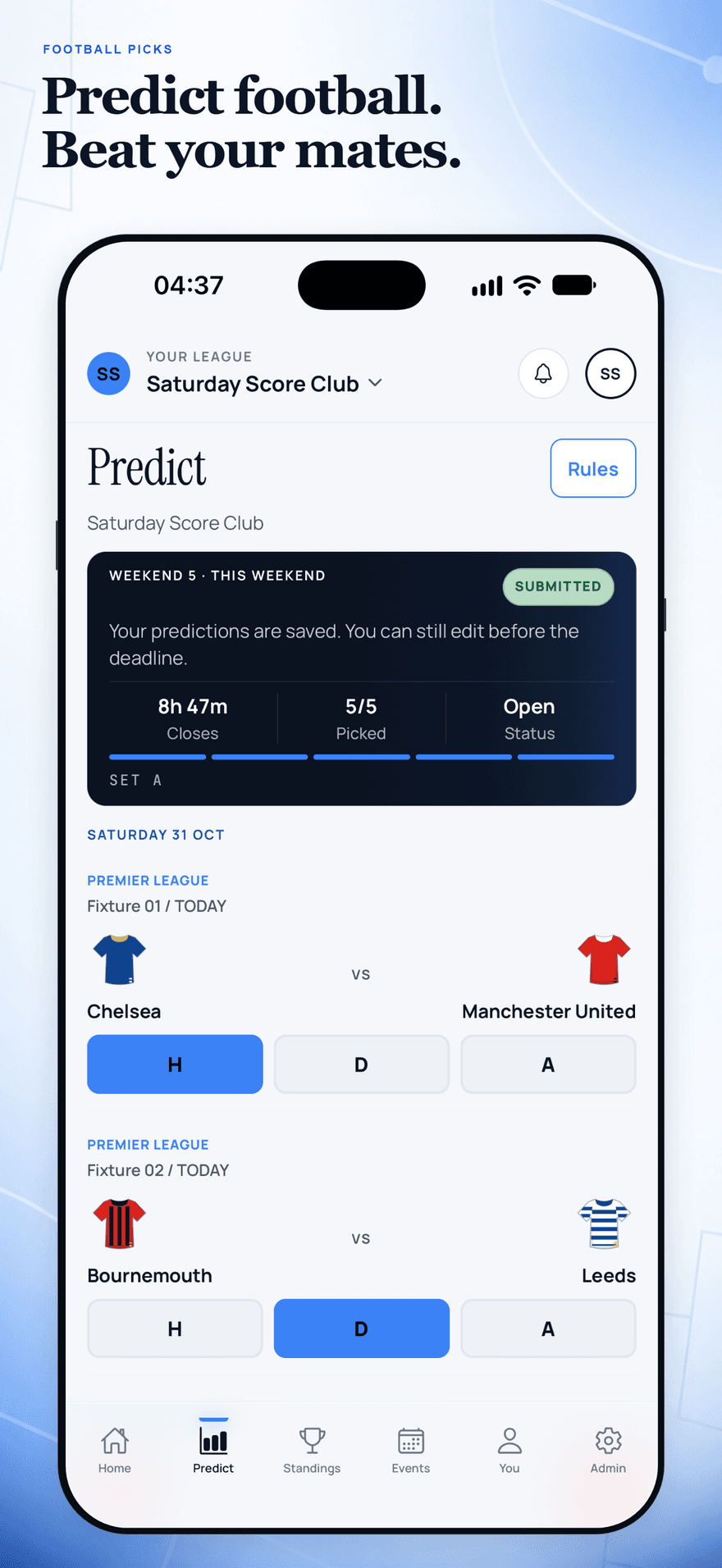
These genuine screens show the Football flow in ScoreSocial’s released iOS and Android apps.
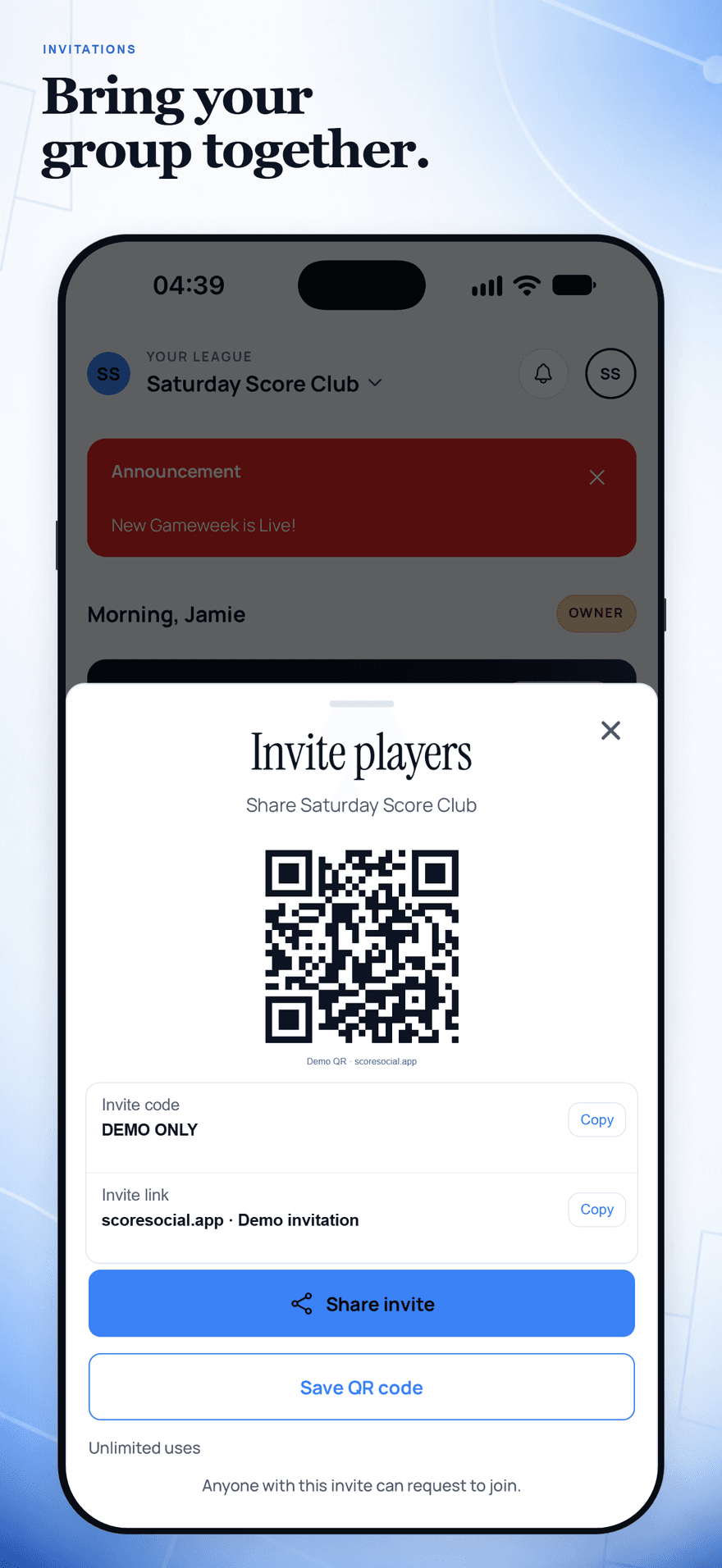
Share a code, link or QR code so everyone can join your private league without rebuilding a spreadsheet.
Enter the round on mobile, check what is still missing and keep changes saved until the league closes.
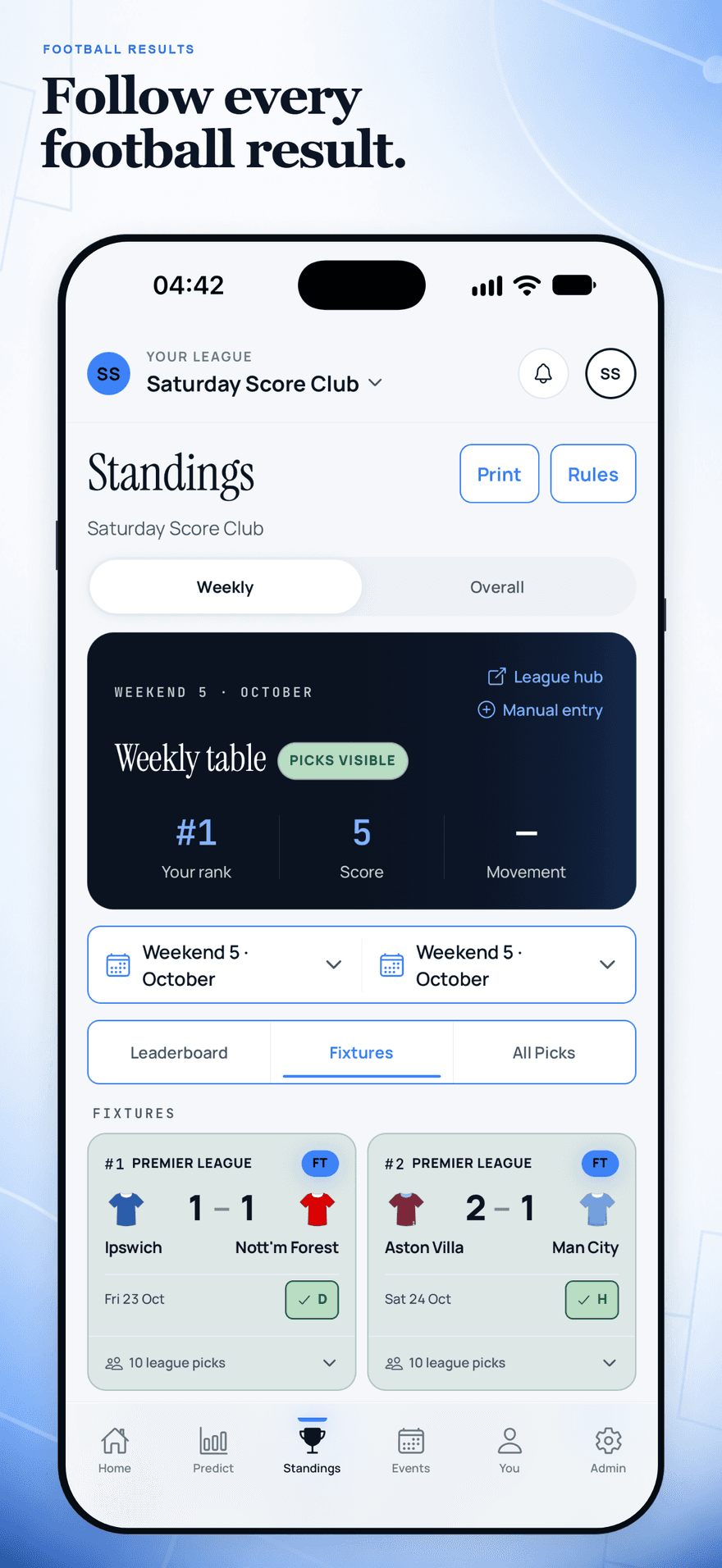
Check your rank, score and movement in the weekly table, then see how each fixture finished.
Choose a primary sport when you create a league. Free and Starter gameweeks use that sport. Pro, Team and Enterprise organisers can select Football, NFL or NHL before fetching a gameweek’s fixtures. Each gameweek has one sport; points from those gameweeks contribute to the same season standings. Golf remains a separate event with its own plan allowance.
Run a private football prediction league for competitions such as the Premier League and Scottish Premiership. Keep the score or result rules your group knows.
Pick the winning team before the round deadline. Follow preseason, regular-season or playoff games; a game that finishes tied is void for picks.
Choose the winning team for each game. The official final winner counts, including overtime and shootouts, rather than a regulation-only result.
Run a separate golf tournament event alongside your league on an eligible plan. Golf uses the event setup and leaderboard, not the primary sport chosen for the league.
Start a private league for your group, or use the invite your organiser sent you.