How to Run a Private NFL Prediction League
How to Run a Private NFL Prediction League
Set up a private NFL winner-picks league: choose games, agree deadlines, invite your group and review weekly standings.
By ScoreSocial Editorial Team · Updated
Product review by Dean Reid · ScoreSocial service operator and product reviewer

What does your group predict?
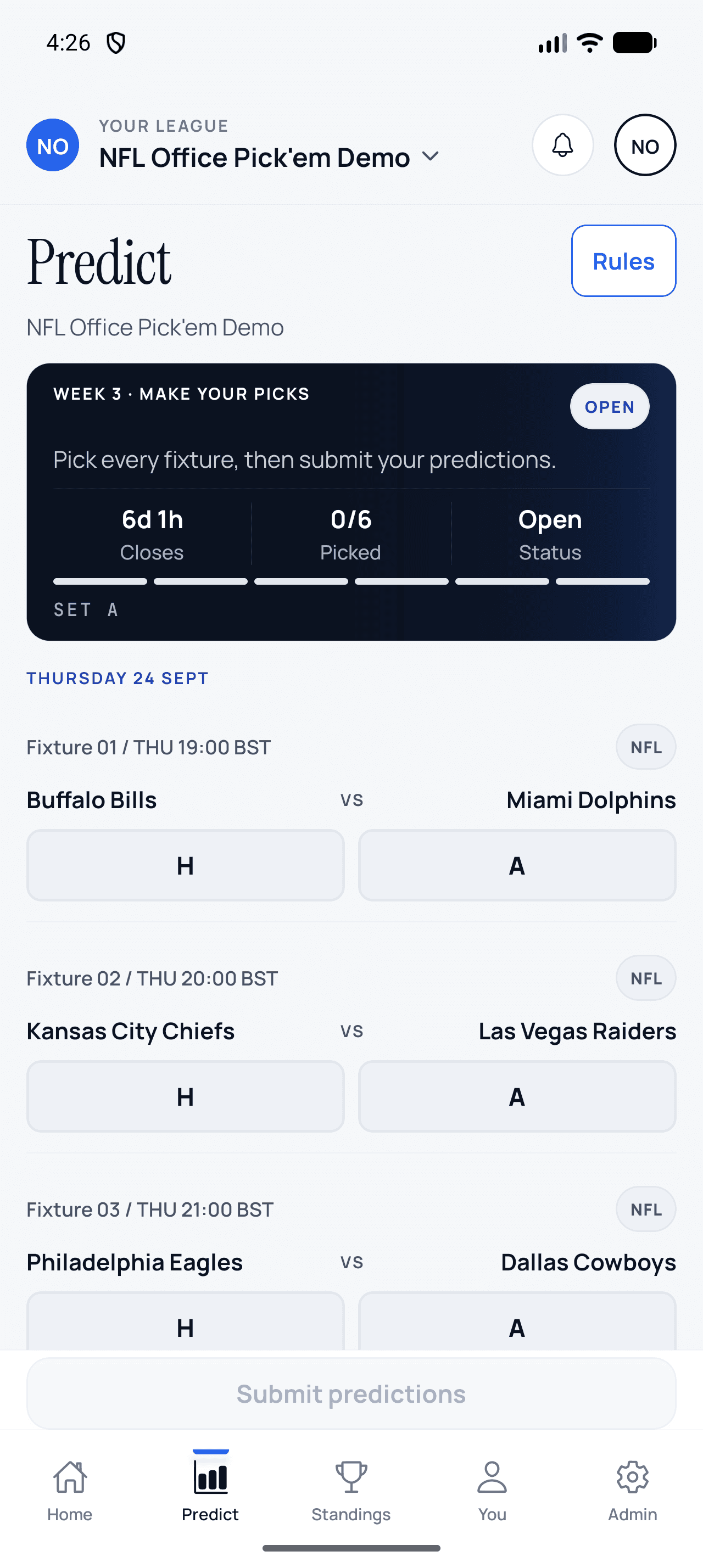
In a ScoreSocial NFL league, each player picks the winning team in the organiser’s selected games. Players choose home or away, rather than an exact score. The official winner after overtime counts. A final NFL tie is void for predictions and awards no points. Explain that format before inviting people so nobody expects fantasy rosters, point spreads, confidence points or survivor elimination.
How do you create the league?
Choose NFL as the primary sport during league creation. Review the organiser account and league settings, then use the invite link or code to bring the group into the intended league. Start with the published Free allowance if it fits your group. Free and Starter gameweeks use the primary sport; Pro, Team and Enterprise can choose a different sport for an individual gameweek.
See the NFL league overview and current plan allowances before deciding which plan the group needs. The pricing page also explains current paid-access availability.
How should you prepare a round?
Select preseason, regular season or playoffs before fetching fixtures. Review the games, dates and start times, then choose a deadline before the earliest included kickoff. Publish the deadline with a time zone when the group includes people in different countries. A Thursday-through-Monday selection is a deliberate organiser choice, not a promise that every NFL game will be included automatically.
Check a late schedule change against the displayed fixture information before opening entries. If a game is postponed or cancelled, review its status and communicate what happens to the round. Do not treat an unplayed fixture as a losing pick.
What should the invitation say?
Use a clear explanation such as: “Pick one winner in every selected NFL game before the round deadline. Overtime counts. A final tie is void. Our league rules show the points for a correct winner.” Add your actual deadline and link to the group’s rules. Never put a sample deadline into an invitation without replacing it.
How do you keep the season understandable?
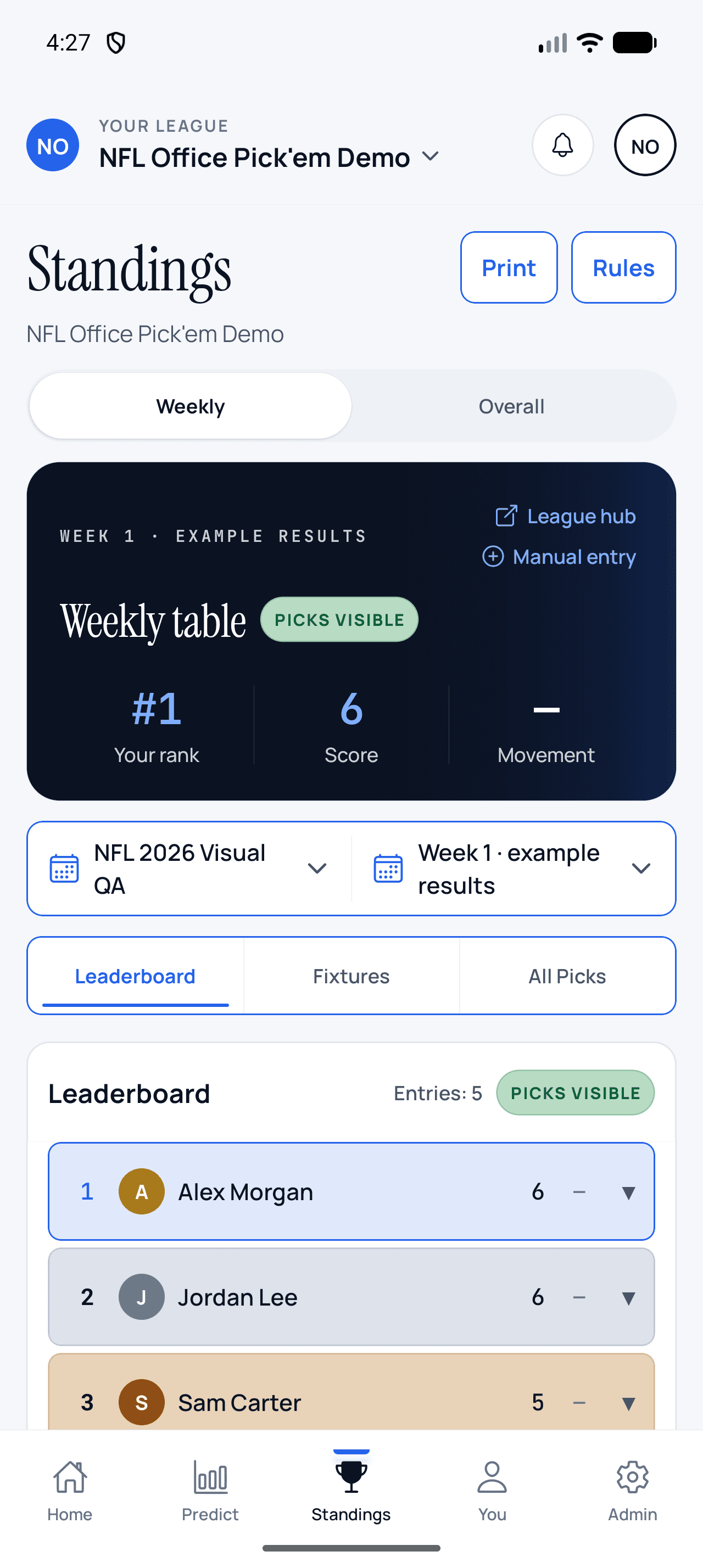
Review the weekly recap when games settle. Use one agreed points policy throughout the season and explain any correction. Compare completed entries, not just member count, when deciding whether the group needs reminders or a smaller selection of games. The NFL rules guide gives the edge cases to cover before the first round.
Sources and product review
Dean Reid reviewed the ScoreSocial creation, fixture-selection, winner-pick and standings workflow in the released product. NFL schedule references should be checked against the official NFL schedule, while the final-tie explanation follows the official 2026 NFL rulebook. ScoreSocial is independent and is not affiliated with or endorsed by the NFL.
Inside the released Android app
Make NFL picks, then follow the table
These screens were captured from ScoreSocial Android v1.3.0 using an isolated demo league. Participant names and results are example data; no App Store review league data is shown.