How to Run a Private NHL Prediction League
How to Run a Private NHL Prediction League
Choose NHL games, explain final-winner picks and organise an NHL prediction league with clear deadlines and standings.
By ScoreSocial Editorial Team · Updated
Product review by Dean Reid · ScoreSocial service operator and product reviewer

What is your NHL group predicting?
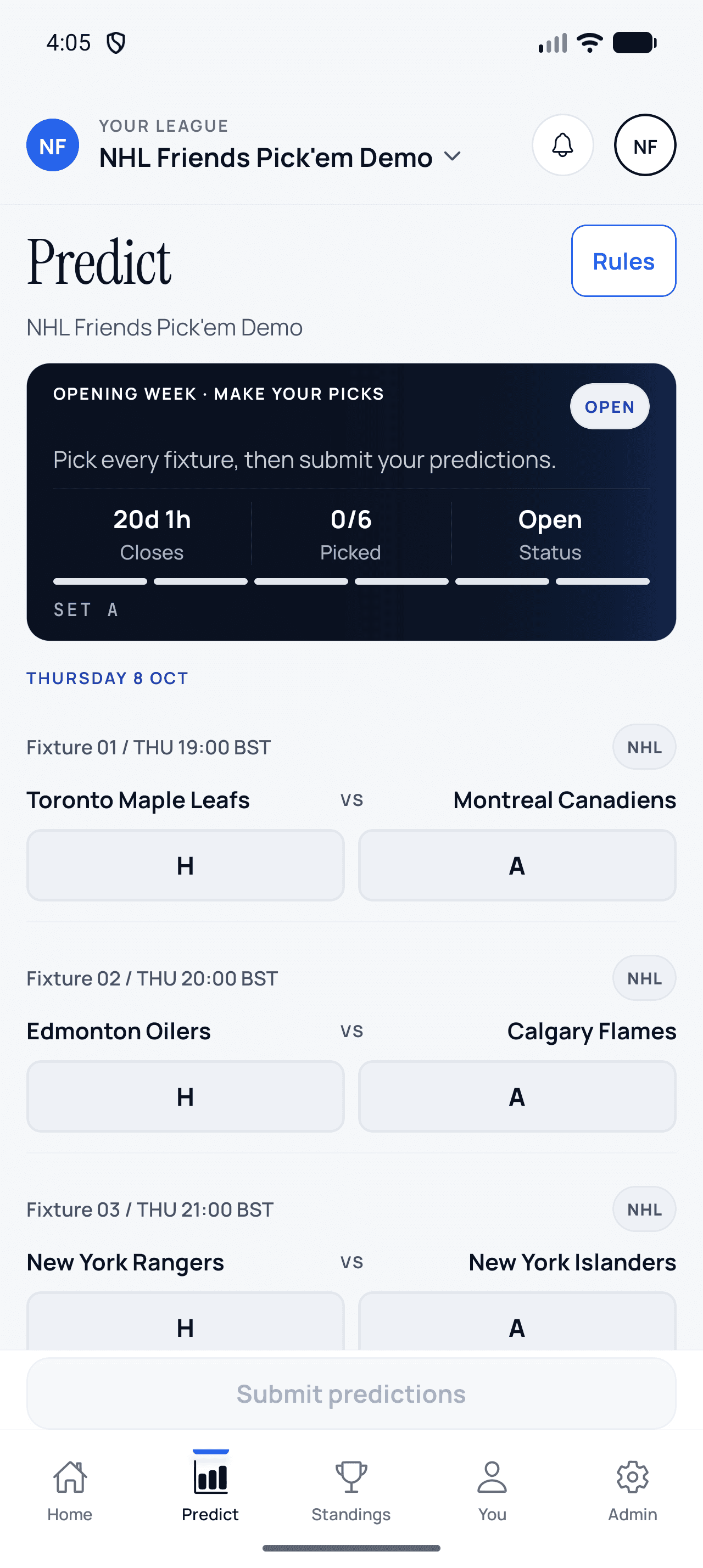
An NHL prediction league asks players to select the winning team in each game chosen by the organiser. ScoreSocial uses the official final winner, including overtime and shootouts. Players choose home or away; they do not need to forecast an exact score or build a fantasy roster. That makes the game easy to explain to friends, colleagues or an NHL supporter group.
How do you set up the first round?
Create the league with NHL as its primary sport. Review the settings and invite your group. Choose preseason, regular season or playoffs before fetching the fixture list. Review the date window and selected games before publishing. NHL games are spread across the week, so “gameweek” means your organiser-defined round rather than a fixed league-wide weekly slate.
The NHL product page explains the format. Check plan allowances for group size and whether you need different sports in the same season.
How many fixtures should you include?
Start with a selection your members can complete consistently. There is no need to include every NHL game simply because it is available in the provider’s schedule. Tell members which dates the round covers, when picks close and how the number of fixtures affects available points. Keep the policy consistent when comparing one round with another.
How do you avoid time-zone mistakes?
Announce the deadline with a time zone and review it against the first included game. An evening game in North America can fall on the following calendar date in the UK or Europe. Players should use the times shown in their supported interface and check the published league deadline. Do not copy a North American date into a group message without the corresponding time context.
What happens after the last game?
Review final results and the weekly recap. Overtime and shootout winners count just like regulation winners. An in-progress or postponed game should not be treated as a completed draw. If a fixture needs an organiser correction, communicate the reason and use the supported results controls so the group can understand the resulting points.
Read NHL prediction rules before opening the first round. Explain the difference between final-winner picks and regulation-only NHL markets in plain language; the ScoreSocial game is a private prediction competition.
Sources and product review
Dean Reid reviewed the ScoreSocial NHL creation, winner-pick and standings workflow in the released product. Organisers should confirm dates against the official NHL schedule, while overtime and shootout explanations should be checked against the official NHL video rulebook. ScoreSocial is independent and is not affiliated with or endorsed by the NHL.
Inside the released Android app
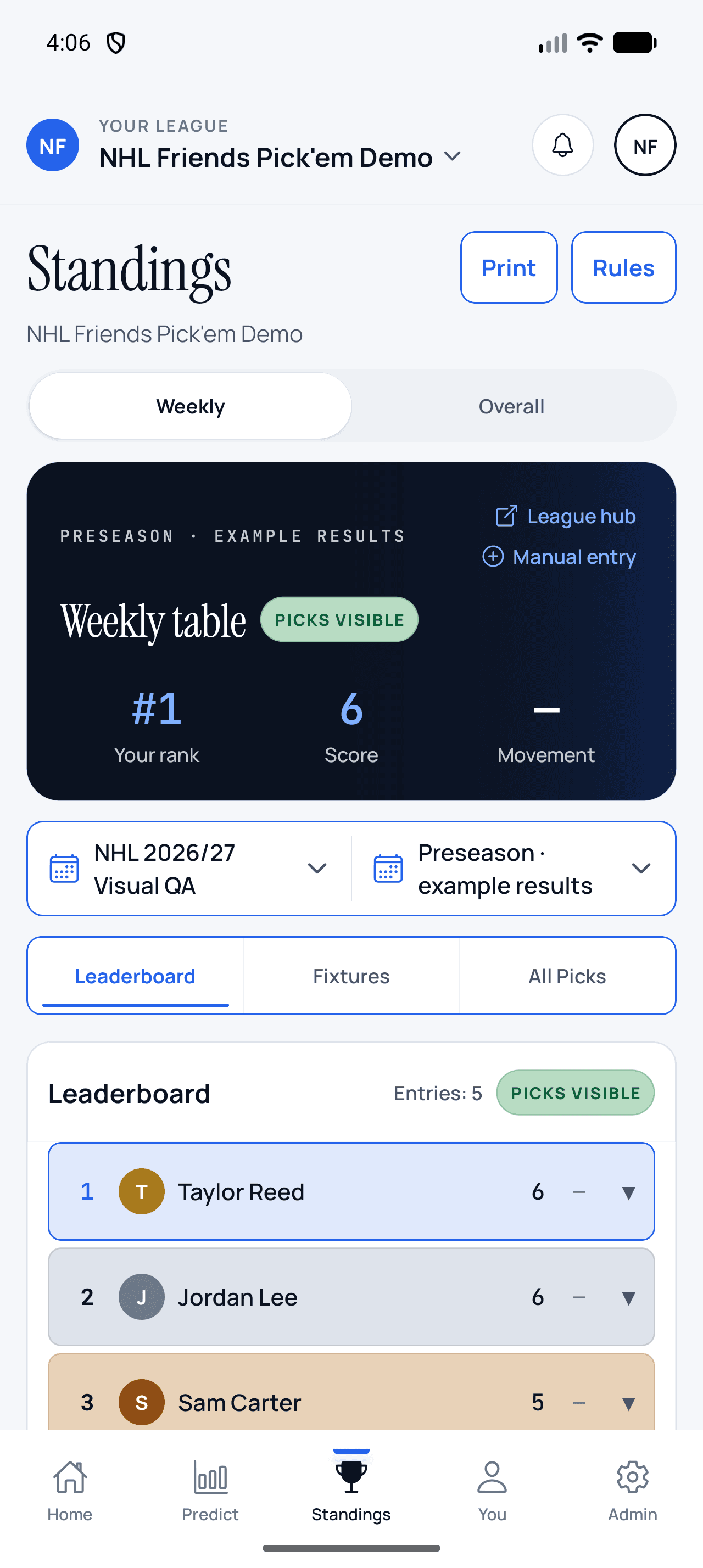
Make NHL picks, then follow the table
These screens were captured from ScoreSocial Android v1.3.0 using an isolated demo league. Participant names and results are example data; no App Store review league data is shown.